Merzal Agent
Type the task. Get the finished file.
A desktop agent for faculty, HODs and the college office. It works on your files, in your college's formats.
Book a demoUnedited
The same task, recorded as it ran.
One unedited run of Merzal Agent on a Windows PC, with sample class data.
You can watch every step.
 01
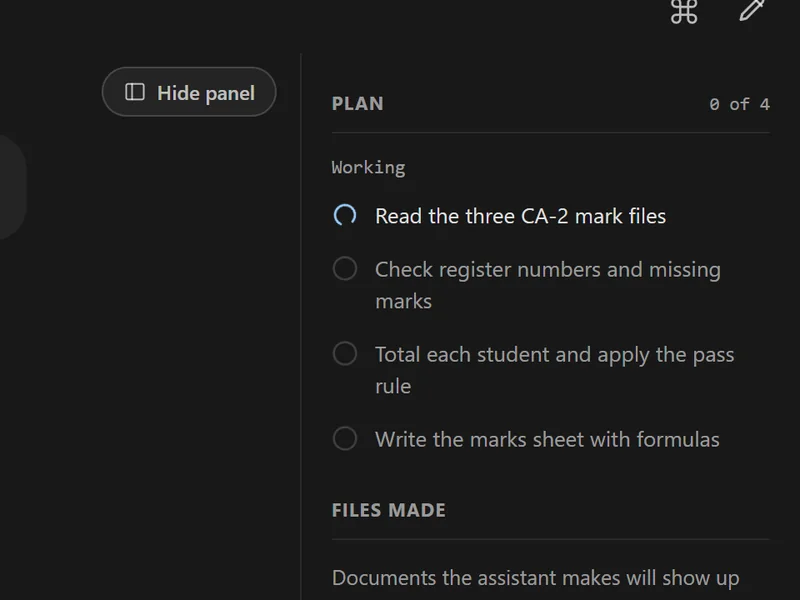
01Plan
It reads your sentence and lists the steps before it opens a single file.
Read 3 CA-2 files · check register numbers · total and apply the pass rule · write the sheet
 02
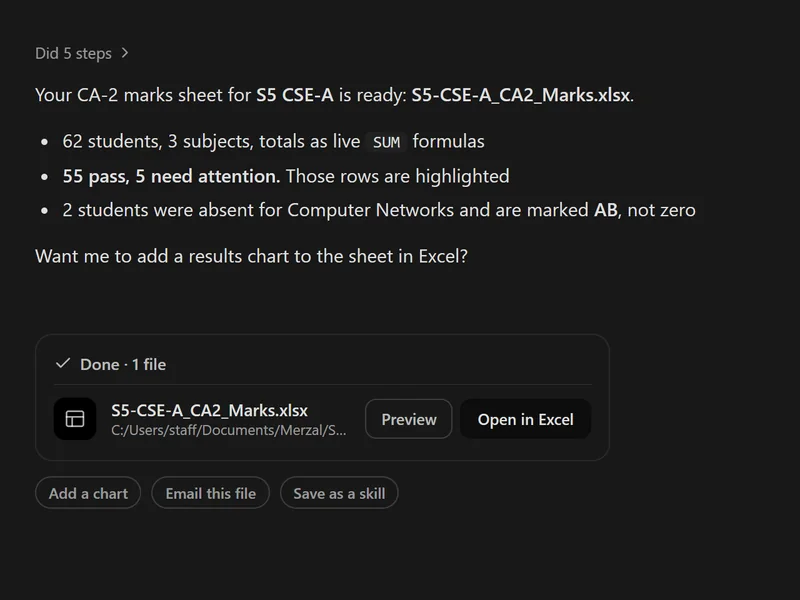
02Work, with checks
Each step shows as it runs. The maths goes through a calculator, not the model.
62 students · 55 pass · 5 need attention · 2 absent
 03
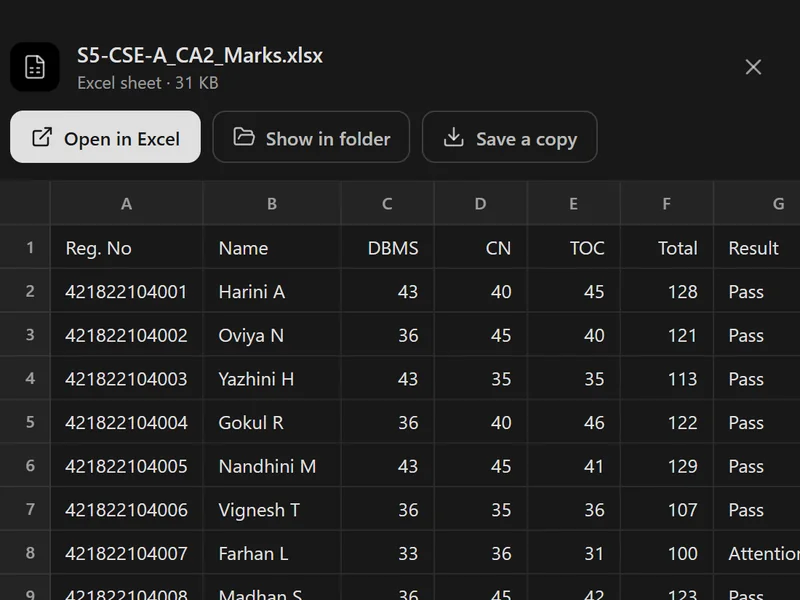
03Hand back the file
The finished file lands in your folder, ready to open in Excel or Word.
S5-CSE-A_CA2_Marks.xlsx
Close-ups from the real Merzal Agent interface, shown with sample class data.
Works in your apps
It can use Excel the way you would.
Ask for a results chart and Merzal Agent opens the sheet in Excel, adds the summary, inserts the chart and saves the file.
- A live preview shows the Excel window while it works.
- Stop is one click away, at every step.
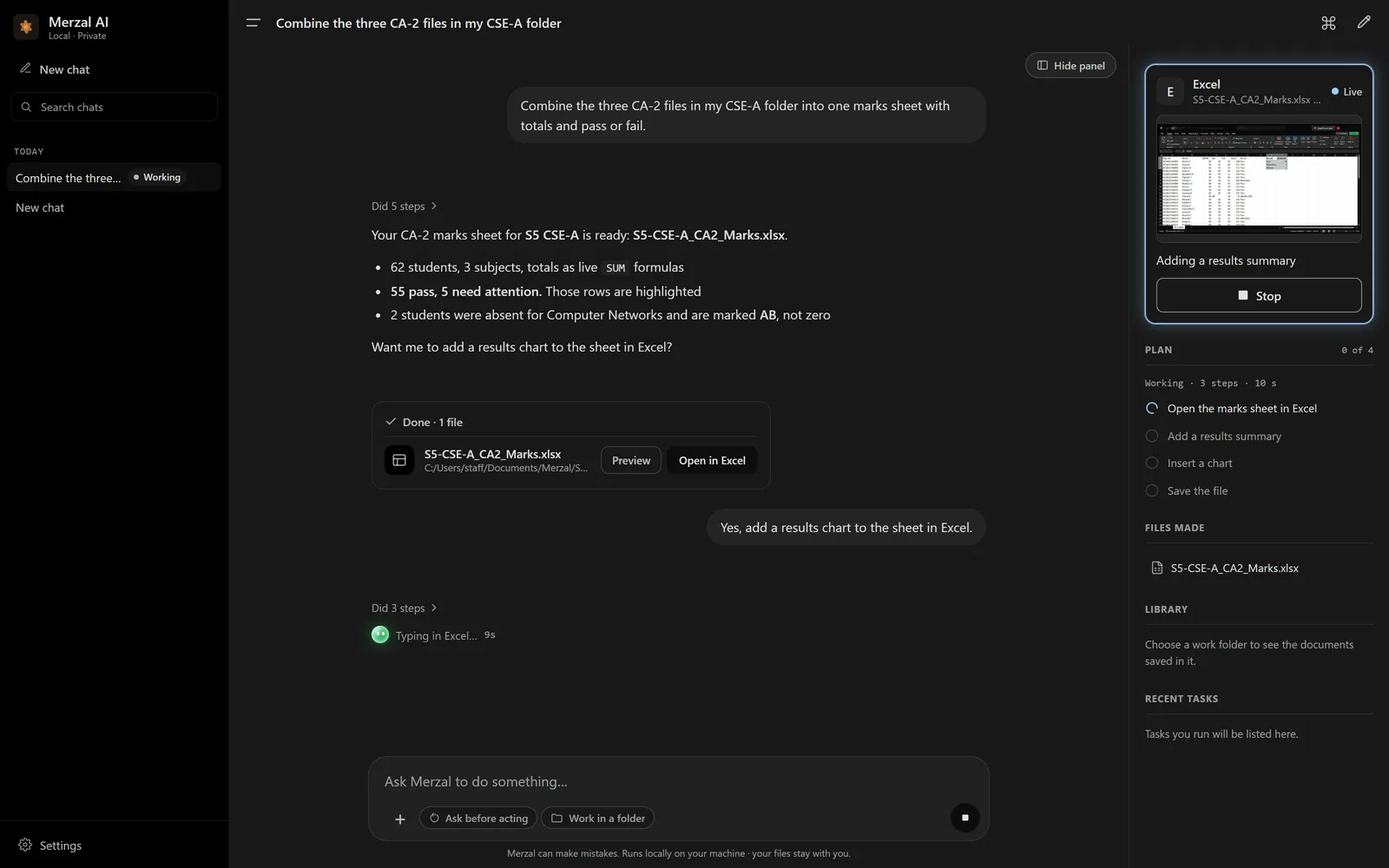
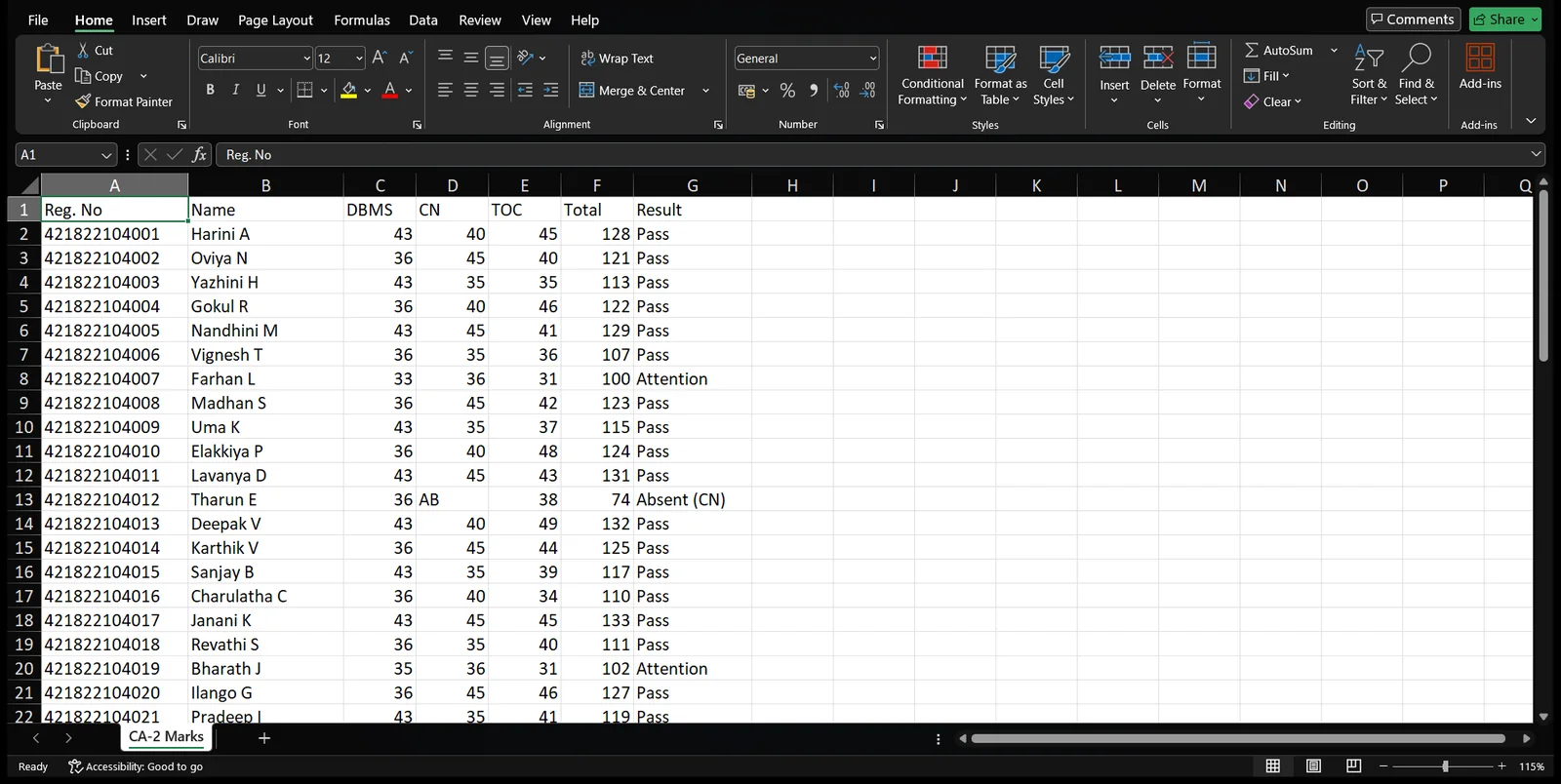
01Opens the sheet
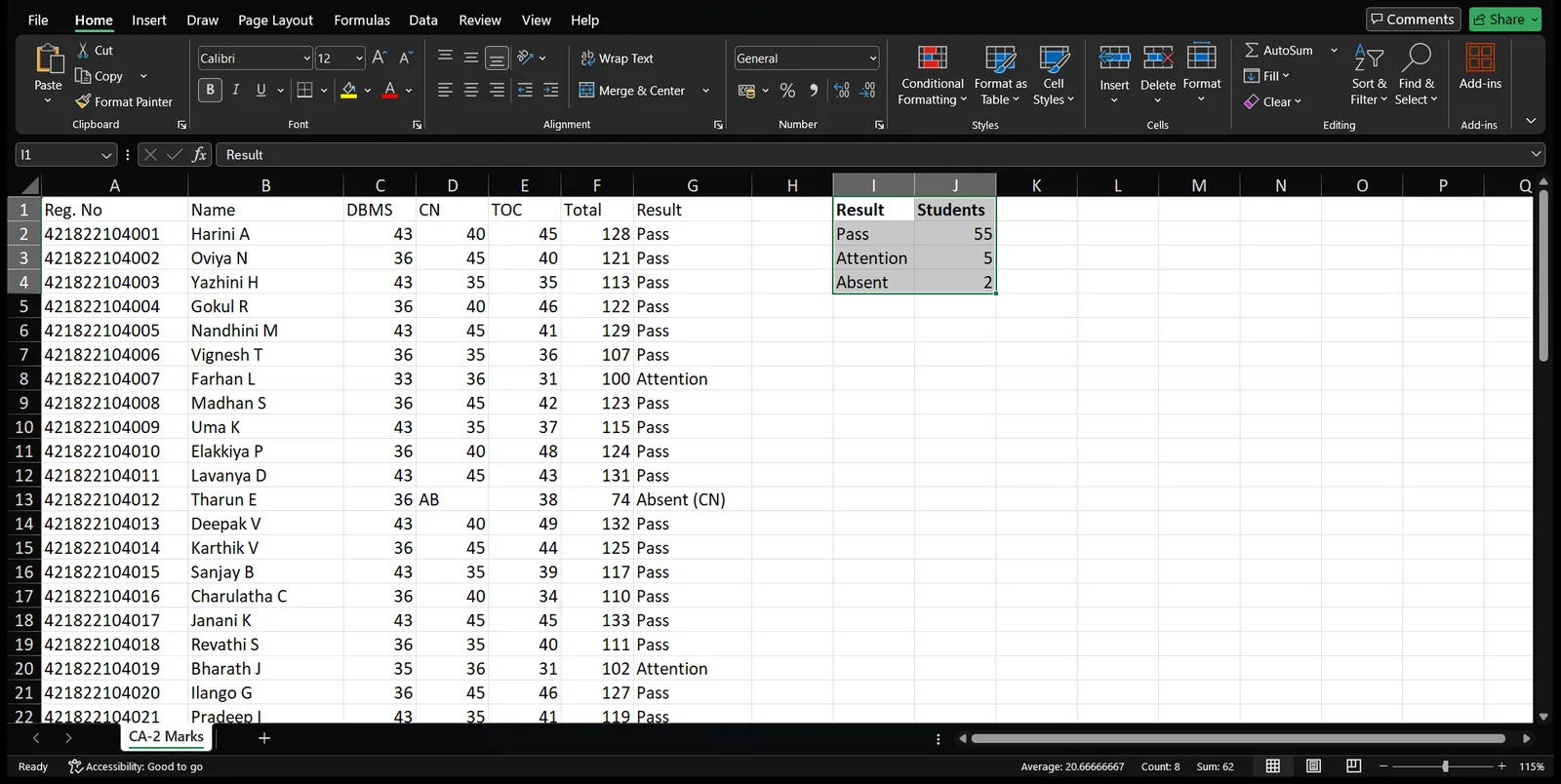
02Adds the summary
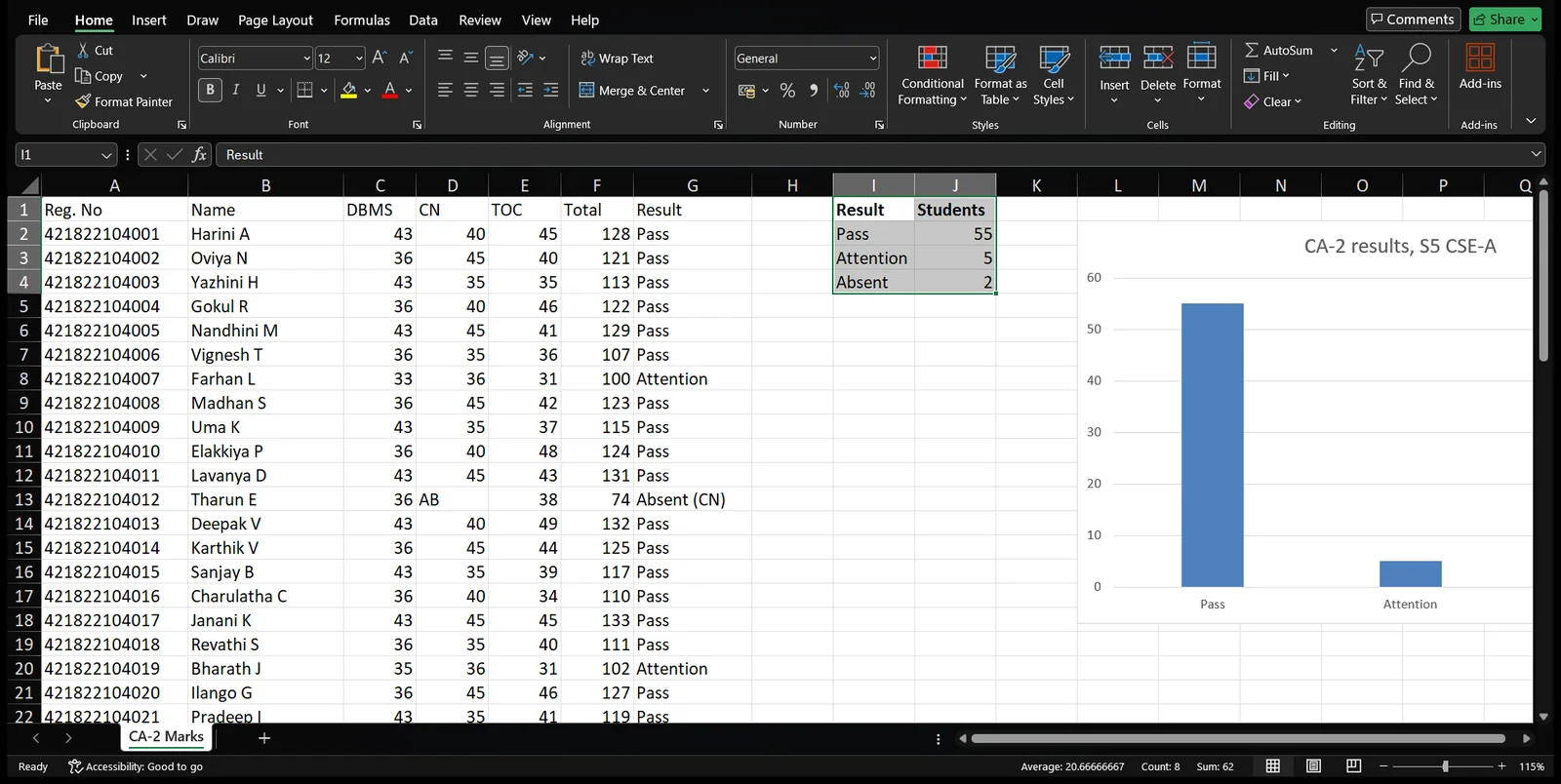
03Inserts the chart
Real Microsoft Excel, driven by Merzal Agent on the same sample sheet.
Built for the paperwork colleges actually do.
Not generic documents. Your regulation, your NBA workbook, your letterhead.
- Internal marks sheetsCombine CA files, total, apply the Anna University R2025 pass rule.
- CO-PO attainment workbookThe NBA workbook with live formulas, built from your marks.
- Attendance registersFrom your class list, in a clean printable layout.
- Lesson plans and course filesStructured from the syllabus, ready to edit.
- Circulars and lettersOn your letterhead or Word template, in English or Tamil, as Word or PDF.
- Excel cleanupAbout forty operations: formatting, sorting, validation, conditional colours.
It stays inside the lines you draw.
One work folder
It can only read and write inside the folder you choose.
Asks first
Anything destructive waits for your yes.
Deletes are undoable
Removed files go to a trash folder first.
Files stay local
Merzal's servers keep usage figures, never your files.
Before you install it.
- What does Merzal Agent run on?
- It is a desktop app. Staff install it on their own PC once and give it work in plain sentences.
- Does the AI do the arithmetic?
- No. Totals, percentages, grades, GPA, CGPA and CO-PO attainment come from a built-in calculator. The model only decides which numbers to use and explains the result.
- Where do our files go?
- They are opened and saved on the PC, inside the folder you choose. Merzal's own servers keep usage figures such as time taken and whether the task worked, never the files.
- Can it use our letterhead and formats?
- Yes. Give it your college letterhead or a Word template and it fills the content area without redrawing your crest.
Bring one marks file.
We'll run it through Merzal Agent with you and hand you the finished sheet.